Overview
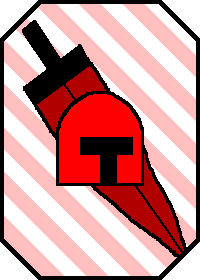
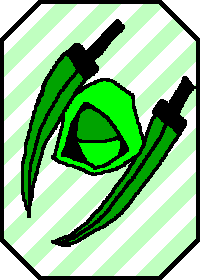
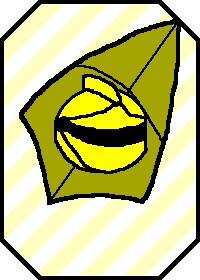
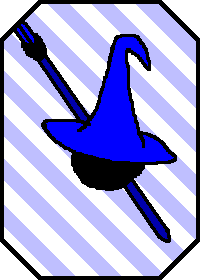
Card Duel is a fast paced card game I made for my Solo Game Dev class. When you start the game, it shows a card in the center of the screen that you need to beat. You do this by pressing the button associated with the card that defeats it. However, you aren’t given much time to react to it, and as you succeed, it’ll add more cards to the center for you to beat, meaning you’ll have to react fast in order to keep the game going.
I wanted to make something snappy and fast paced, something the player could open up, play a round, and be able to immediately jump back in so they could try and beat their high score. As such, I spent a long time and used a lot of my time in class trying to adjust the system itself to be as snappy as possible. Over time, many things got cut out, and I added in extra details like the card flick animation as well as the different visual and auditory feedbacks within the game to create a game that would make you say “Just one more try”.
Progression
Prototype
My goal for this prototype was to just get the core system established. Specifically making sure I was understanding Godot’s engine and able to get a desired outcome. As such, I made it much simpler than the final build, where the wasd keys would simply change the text in the center of the screen to the key you pressed. Again, very simple and not really all that impressive, but a first step nonetheless.
Initial Playtest
For the initial playtest, I was able to test if the current system I had set up for Card Duel was making it the fast paced experience I was hoping for. I had added in various timers that would control the countdown to the round as well as how long the player has to hit the key to try and defeat the center card, as well as other less notable parts of the gameplay loop.
After the playtest, I had received a lot of useful feedback to help improve the flow and speed up the game. Most notable of the changes was the removal of the countdown I had before each set of cards in the center. I initially had it in there to treat the between parts of each card set as a chance for the player to catch their breath. However, feedback was that it was too much of a pause, causing it to instead break the flow of the game. As such, I decided to remove it to speed the game up and keep the player engaged.
Before Playtest
After Playtest
Final Build
For the time between that initial playtest and the final build, I wanted to focus on finding ways to translate the games information to the player as best as possible without relying on more text. As such, I ended up removing the text in the bottom left and replacing it with a stack of cards in the center of the screen to show the amount of cards left. I also added the associated weapon of the card to their background and had it pointing in the direction of the card it defeats to further reinforce the order of the cards.